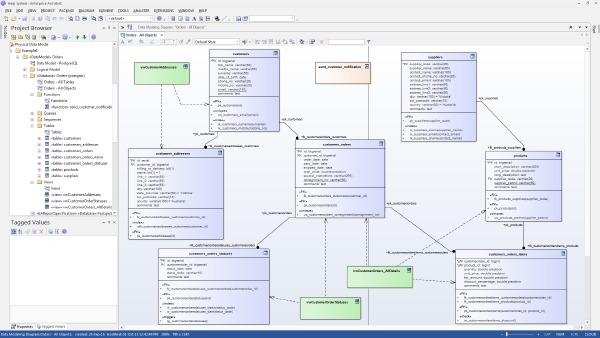
The database documentation capabilities Microsoft provides for SQL Server databases are rudimentary. Pretty quickly you are going to be looking for a third party solution. In this brief video tutorial, I demonstrate how Enterprise Architect by Sparx Systems can be used to:
document columns in a table author more detailed explanations of the purpose of tables detect changes in a target SQL Server database Enterprise Architect has a large amount of additional capabilities for modeling business process and software development efforts. It’s a rather complicated tool quite frankly. But it is a reasonably priced product that can help your organization communicate about the nature of your data.
A video demonstration of Atlassian Confluence as a documentation alternative to Microsoft Word, SharePoint and OneNote.
For those not familiar, Confluence is a Wiki platform ideally suited for documenting technical topics. It offers “just-enough” editing capability on a page to deliver attractive, readable content. It is simple and efficient to author and organize content. Key benefits of the software:
Highly usable and simple to learn authoring environment Hierarchical organization into spaces and pages Heads-Up page authoring Plugin capabilities for diagrams, visuals Integration with JIRA task management Active-directory (AD) integration with configurable permissions Content stored in Microsoft SQL Server Inexpensive licenses for smaller workgroups In the video below, the author demonstrates Confluence using the personal wiki he’s revised over the past decade.
We use a proprietary software application that stores a great deal of operational data for our company. The product vendor does not provide any documentation. We want to extract and report from its tables. How would you go about investigating this system? What sorts of support could you offer on this type of project?
Depending upon the application, your data may be distributed over 100 or more tables each having dozens of columns. In many cases, you are primarily interested in only 5 to 20 of these tables – but precisely how do you identify those tables and map the “join” relationships between them? How can you understand the system when no database documentation is provided?